
Whether you have been doing stock takes for a long time, or you are about to do your first, we hope the following tips will be of some use to you. The following tips come from our personal experience in the retail sector and the method has been changed and improved many times over the past 30 years. This process has been used in medium to large supermarkets and smaller liquor stores with great results.
Tools you will need
- Counting Slips. Tear an A4 piece of paper in to five or six thin long strips. One strip will be needed for every stock item. Each strip will have the quantity, of the item being counted, written on the bottom of the slip. The reason we write the quantity at the bottom of the slip is so that the person capturing will always know which way is up and cannot get 6’s and 9’s confused. The slips may seem unnecessarily long, but the long slips will hang off of the shelf when placed under the stock item. This is a great way of seeing if an item has been counted and is hard to miss during the capturing process.
- Shelf labels. A simple label for the counter and capture’s name. One label will be needed for every section.
- Stock capturing device. Windows computer or Android cellular phone running the CountStock software.
The process to follow
- Divide the stock into manageable sections. On the shelves one section would be one shelf run, from the top to the bottom. In a warehouse or backup stock one section could be one pallet or small stock locker.
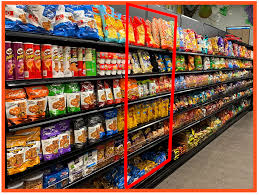
- Assign a person to count the section. This can be done with a numbering system and a list, but we have always preferred to physically write the person’s name on a shelf label and place it on the top right corner of the shelf. This is done so that the person counting can be accountable for any discrepancies.
- When counting items on a shelf one should always follow the same pattern, we like to start at the top left and end at the bottom right. This minimizes the chance of missing any items on the shelf.
- Each product variant on the shelf, once counted, should have a counting slip, with a quantity, placed under the item. This makes it easier to ensure that all the items in the section have been counted.
- Assign a person to capture a group of smaller sections. This group could be an entire isle of shelves as this process should be a lot quicker than the counting process. If you are using the CountStock software on Windows or a mobile device, the stock count should be created with a logical description and the name of the person that is capturing the stock. For example “Toiletries John”.
- Before capturing the items in the section, the person capturing should check and ensure that all items in the section have been counted. If an item has been skipped and does not have a counting slip associated with it, the person responsible for counting the section should return to finish counting the section. The entire section should be skipped and returned to at a later stage or the person capturing should wait for the section to be completed to maintain data accuracy.
- When capturing items on the shelf the same pattern from earlier should be followed. Start capturing at the top left and finish at the bottom right. Once an item has been captured the counting slip should be removed and disposed of. The person capturing the stock should never remove multiple counting slips at a time. Capture one item then remove one counting slip. This is done to ensure that items are not skipped during the capturing process. A section will be fully processed when there are no counting slips under the items and there is the counting person’s name on a shelf label on the top right. The person capturing can also add their name to this label for further accountability.
- Once the allocated group of sections have been counted this count should be uploaded to the CountStock server. If it is not convenient to upload the count immediately this count can be saved locally on the device and a new count should be created for a new group of sections. Dividing stock counts up in this way will make it easier to find discrepancies once the stock take has been completed.
- When the stock take has been completed, all of the counts have been consolidated and imported into your Point of Sales or ERP system a stock variant or stock discrepancy report should be generated and evaluated. Remember to take a walk around the store to ensure all of the counting slips have been removed from the items.
- Tracking down errors should be rather easy as each stock count has been labelled and the stock was scanned in a logical order.
Common mistakes to avoid
- One should never count stock onto a stock sheet. This will only ensure the stock that is listed is counted. It is possible that some items on the shelf are not listed and if you are not looking for them you will never find them.
- Do not count all of one item in the entire store before moving on to the next item. In retail stores the same item can be displayed in multiple places due to cross merchandising or items being on the shelf and in a refrigerator. If an item is in multiple places, this item should have multiple smaller counts and not one large count. This ensures that the item is counted correctly and no sections are missed or even counted twice.
- Do not count and capture at the same time. Doing this makes it highly likely that items will be unintentionally skipped or counted twice.
- Do not rush. Counting your inventory is very important and perfect accuracy should be strived for every time to ensure an accurate stock holding value. This is the data that is directly related to your store’s profitability.